Morospin Casino App
Everything the App Contains
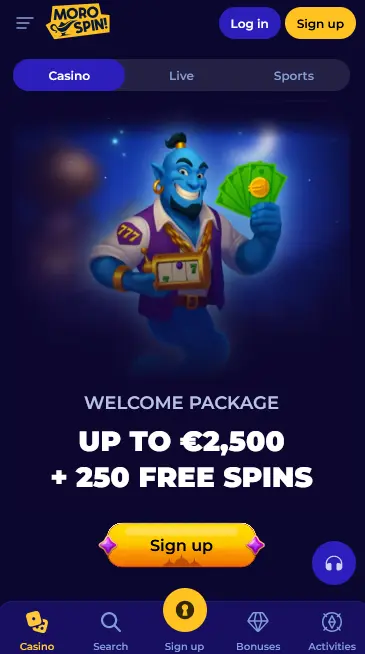
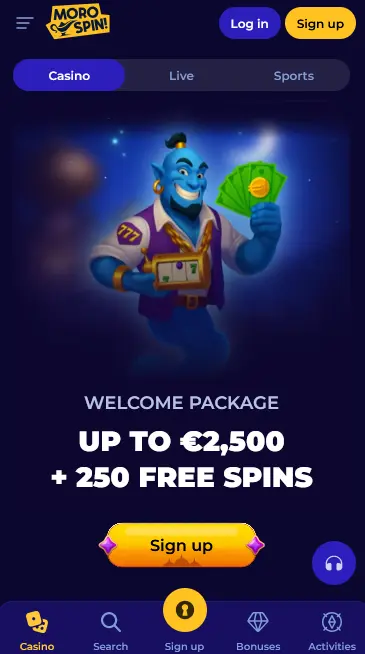
The Morospin mobile app is a complete mirror of the desktop platform, not a stripped-back companion. The full catalogue of 4,000+ titles from Pragmatic Play, Evolution Gaming, Play’n GO, Hacksaw Gaming, Nolimit City, and more than 30 further certified studios loads without restriction. The live dealer floor, the sportsbook with real-time in-play markets, the cashier, bonus activation, and account management all operate within the single app install.
Key Features
Advanced asset compression means that live Evolution Gaming dealer streams remain high-definition even on mobile data connections, while standard pokies load within seconds on both Wi-Fi and 4G. The app stores your session state, so switching between a live roulette table and your sportsbook bets does not require a reload.
Differences from the Browser Version
Biometric authentication (Face ID on iOS, fingerprint on Android) is the most notable addition over the browser experience: once enabled, you never need to type your password during routine sessions. Push notifications for promotional offers, tournament reminders, and deposit confirmations are also exclusive to the native app and APK builds.
Downloading and Installing
Android: APK Installation
The Android version of the Morospin app is distributed as an APK file directly from morospinslots.com. It is not listed on Google Play. To install it, you need to enable the installation of apps from unknown sources (or trusted sources, depending on your Android version) in your device’s security or application settings. The setting applies only to your browser or file manager, not to the entire device. Once enabled, tap the downloaded APK and follow the on-screen installer prompts. The process takes under a minute on any Android device running version 5.0 or later.
iOS: App Store Installation
The iOS version is published on the App Store and follows the standard Apple download process. Search for Morospin Casino, tap Get, and authenticate with Face ID, Touch ID, or your Apple ID credentials. No special settings changes are needed on iOS; Apple’s review process verifies the build before publication.
PWA Shortcut
Players who prefer not to install a native app or APK can add a Progressive Web App shortcut to any device’s home screen through their browser’s share or options menu. The PWA runs in full-screen mode, accesses the same game catalogue and cashier, and updates automatically without manual intervention.
Compatibility
All details per platform are listed in the specifications card above. The Android app functions on devices running Android 5.0 and above; the iOS app requires iOS 12.0 as a minimum and is compatible with both iPhone and iPad hardware. Neither version requires significant on-device storage for the app itself, as game assets stream from the server during play rather than being stored locally.
Games Available in the App
Pokies
The full pokie library is accessible, including high-variance titles such as Gates of Olympus (Pragmatic Play, RTP 96.5%), Dead or Alive 2 (NetEnt, RTP 96.8%), Money Train 4 (Relax Gaming, RTP 96%), and Book of Dead (Play’n GO, RTP 96.21%). Megaways titles, bonus buy pokies, and classic three-reel formats from Novomatic and Amatic are all present. The mobile interface includes the same filters for volatility, provider, and game mechanic that are available on desktop.
Live Casino
All Evolution Gaming live tables stream at full resolution on the app, with interactive betting interfaces sized appropriately for mobile screens. Lightning Roulette, Immersive Roulette, Crazy Time, Live Blackjack, and Baccarat are available 24/7. Pragmatic Live tables supplement the live floor with additional roulette and game-show formats.
Table Games and Jackpots
RNG table games including multiple blackjack variants, European roulette, and poker formats load instantly in the app. Progressive jackpot pokies with networked prize pools are also fully accessible; jackpot counters update in real time.
Bonuses Through the App
Welcome Package
All three stages of the welcome package (up to $1,500 plus 250 Free Spins) are fully claimable through the app cashier. Make a qualifying deposit of at least $20 and the bonus credit is applied automatically. Free Spins for Gates of Olympus (Pragmatic Play), Aztec Magic Deluxe, and Platinum Lightning (BGaming) are delivered in batches and visible in your bonus wallet. 18+ only. T&Cs apply.
The promotions page in the app displays all current Morospin offers in real time, including the Sunday Reload (25% up to $300), Weekly Cashback (up to 25%, 1x wagering), and active tournament leaderboards. Push notifications alert you when a new promotion becomes available or when your cashback credit is ready to use. 18+ only. T&Cs apply.
Deposits and Withdrawals
Payment Methods in the App
The full cashier is accessible from the app’s main menu. Deposits via Visa, Mastercard, Skrill, Neteller, Apple Pay, Google Pay, Bitcoin, Ethereum, Litecoin, and USDT are all processed directly within the app. Minimum deposit is $20.
| Method | Deposit | Withdrawal | Processing Time |
|---|
| Skrill | Yes | Yes | 0-24 hours |
| Neteller | Yes | Yes | 0-24 hours |
| Bitcoin (BTC) | Yes | Yes | 0-24 hours |
| Ethereum (ETH) | Yes | Yes | 0-24 hours |
| Visa / Mastercard | Yes | Yes | 1-3 days |
| Apple Pay | Yes | No | Instant |
| Bank Transfer | Yes | Yes | 3-5 days |
Payment Security
All financial transactions within the app pass through SSL-encrypted channels. Payment processing is handled by Interdersoft Limited, registered in Cyprus (HE 452538), which operates as the payment agent for Terdersoft B.V. under the Curaçao Gaming Authority licence OGL/2024/1126/0521.
Account Registration and Login in the App
Creating an Account
If you do not yet have a Morospin account, tap Sign Up within the app and complete the registration form with your email, password, and age confirmation. The process completes in under two minutes. Identity verification (KYC) documents will be requested before your first withdrawal; you can submit them through the app’s account section.
Logging In
Enter your email and password on the app’s login screen. After your first successful password login, enable biometric authentication in account settings for subsequent sessions. If you forget your password, use the Forgot Password option to receive a reset link at your registered email address.
Security
Encryption
Every connection between the Morospin app and our servers uses SSL encryption. This applies to login requests, game data, cashier transactions, and account management actions.
Two-Factor Authentication and Biometrics
Two-factor authentication can be enabled from the Security section of your account dashboard and adds a one-time code requirement to every new-device login. Biometric authentication (Face ID or fingerprint) is available on supported hardware as a faster alternative to password entry for routine sessions, without reducing the underlying security level.
Support
Reaching the Team
Live chat is accessible directly from the app’s main menu and is staffed 24 hours a day. Tap the chat icon, describe your query, and an agent will respond within minutes. For document submissions or detailed account matters, email [email protected] from the address registered to your account.
Responsible Gaming in the App
Deposit limits, session time limits, cooling-off periods, and self-exclusion settings are all accessible from the account dashboard within the app. Our Responsible Gaming page contains further guidance and links to external support organisations.